Planning an Office IT Refresh or Relocation: How to Clear Bulk E-Waste Safely in Singapore
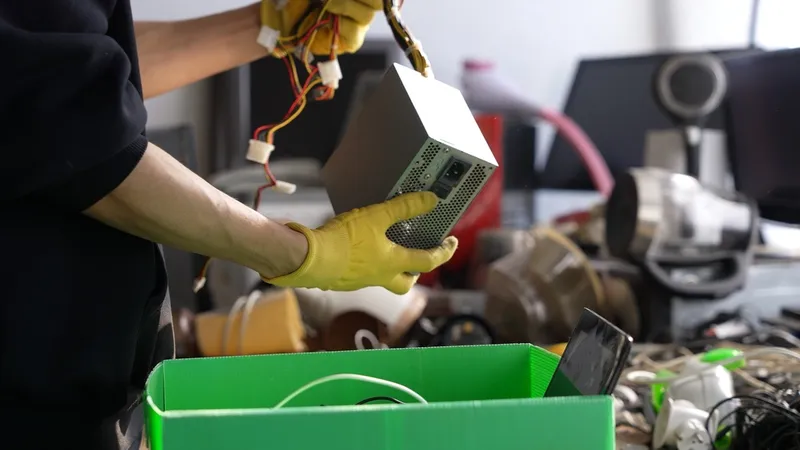
Planning a bulk office e-waste clearance requires more than arranging collection. IT and facilities teams must inventory equipment, identify data-bearing devices, confirm ownership, assign secure disposal outcomes and coordinate building access before anything leaves the premises.
A reliable e-waste recycling company in Singapore can support asset tracking, data sanitisation, secure transport, equipment recovery and responsible recycling.
The project should only be closed after all assets have been reconciled and the required chain-of-custody records, sanitisation reports, destruction certificates and recycling documents have been received.
An office relocation, renovation or IT refresh can quickly leave teams with storerooms full of outdated laptops, monitors, printers, cables, network equipment and damaged electronics. Clearing these items is not simply a matter of arranging a lorry and sending everything away.
Businesses must first identify data-bearing devices, confirm asset ownership, separate reusable equipment from waste and plan how each item will be collected, transported and documented.
Working with a professional e-waste recycling company in Singapore can help organisations manage bulk clearances end-to-end, from secure data destruction aligned to NIST SP 800-88, through unified collection of e-waste and batteries, to asset recovery, responsible recycling and a single consolidated Certificate of Destruction covering the entire consignment.
Key Takeaways
- Begin with a complete inventory before moving or disposing of any equipment.
- Separate data-bearing assets from ordinary office electronics and accessories, and assign each a NIST SP 800-88 aligned sanitisation or destruction method.
- Decide which items should be reused, resold, returned, destroyed or recycled, based on ownership, condition and residual value.
- Plan collection dates, access routes, building management approvals and loading arrangements in advance.
- Where lithium-ion batteries are involved, apply UN3480 or UN3481 dangerous-goods handling for transport.
- Reconcile every asset and collect the required documentation, including a Certificate of Destruction, before closing the project.
Bulk Office E-Waste Clearance Checklist at a Glance
A phased approach helps IT and facilities teams manage data security, logistics and asset accountability throughout the clearance.
Step 1: Define the Clearance Scope and Deadline
Start by confirming why the clearance is taking place and what must be removed. Common triggers include an office relocation, hardware refresh, renovation, lease expiry, business consolidation or replacement of ageing equipment.
The project scope should cover every office, storeroom, server room and department involved. It should also clarify whether the clearance includes only electronic devices or extends to racks, cables, batteries, power equipment and other supporting infrastructure.
Clear responsibilities should be assigned from the outset.
Before scheduling the physical clearance, confirm the collection window, final move-out date, building handover deadline, and any restrictions imposed by the landlord or building management.
For larger office fit-outs in Singapore, additional coordination with BCA-approved contractors and building management may be required and can affect the clearance timeline.
Step 2: Build a Complete E-Waste Inventory
With scope and deadlines confirmed, the next step is establishing exactly what needs to leave the building. An old fixed-asset register alone is rarely sufficient, as equipment may have been moved between departments, placed in storage or replaced without the records being updated.
Conduct a room-by-room check and include items such as:
- Laptops and desktop computers
- Monitors and display screens
- Printers and scanners
- Servers and storage devices
- Network switches, routers and access points
- HDDs, SSDs and backup media
- Telephones and conferencing equipment
- Uninterruptible power supplies
- Keyboards, mice and docking stations
- Cables, chargers and power adaptors
Record enough information to identify, assess and track each item.
Photographs can also help document mixed storage areas and large quantities before sorting begins.
Step 3: Identify and Secure Data-Bearing Devices
Old office equipment may still contain company, employee or customer information, even when it is damaged or no longer in use.
Common data-bearing assets include:
- Laptops and desktops
- Servers
- HDDs and SSDs
- Mobile devices
- Printers with internal storage
- Network appliances
- Backup tapes
- USB drives and memory cards
Deleting files, formatting a drive or restoring factory settings is not sufficient to remove data securely and does not meet recognised sanitisation standards.
Each device should be assigned an approved sanitisation or destruction method aligned to NIST SP 800-88 (Clear, Purge or Destroy), based on its condition, media type and intended outcome.
Until collection, data-bearing equipment should remain in a controlled area. Hard drives, laptops and backup media should never be left in an open disposal pile where they may be removed, misplaced or mixed with general waste.
Step 4: Sort Items by Their Final Outcome
Not every retired electronic item should be sent directly for recycling. Sorting assets early helps prevent valuable, leased or reusable equipment from being destroyed unnecessarily.
Functional laptops, servers, monitors and networking devices may retain value. Asset recovery can help offset part of the clearance cost, provided ownership checks and data-security requirements are completed first.
Security should always take priority over resale value. No data-bearing device should be transferred, donated or remarketed until sanitisation has been completed and verified.
Step 5: Plan Collection and Building Logistics
Bulk e-waste clearance requires more coordination than a routine office collection. Facilities teams should confirm the practical arrangements before the recycling provider arrives.
The logistics checklist should cover:
- Collection date and time
- Loading bay reservation
- Goods lift access
- Visitor or contractor passes
- Building management approval
- Parking and vehicle restrictions
- Protective floor or wall coverings
- Trolleys, pallets and lifting equipment
- Equipment located on different floors
- Restricted or secure work areas
- Damaged battery handling requirements
Large monitors, servers, racks and uninterruptible power supplies may require specialist handling because of their size or weight. Lithium-ion batteries are classified as UN3480 or UN3481 dangerous goods and require compliant packaging and transport documentation.
Damaged, swollen or fire-affected cells carry higher-risk handling requirements and should be disclosed in advance rather than added to a mixed load at the last minute.
Where possible, group and label equipment by department, asset type or intended outcome before collection. This can reduce loading delays and make the final reconciliation process more efficient.
Step 6: Maintain Tracking During Handover
Every asset leaving the office should be matched against the inventory or recorded as an approved bulk item.
Higher-value and data-bearing devices should be tracked using:
- Asset tags
- Serial numbers
- Barcode scans
- Collection manifests
- Handover signatures
- Chain-of-custody records
The handover record should identify who released the equipment, who collected it and whether any discrepancies were found during loading.
Avoid relying only on a weight ticket for mixed IT equipment. Weight may support recycling records, but it does not prove that specific laptops, drives or leased devices were collected and processed.
Step 7: Check the Final Documentation
The clearance is not complete when the vehicle leaves the building. The final reports should be checked against the original inventory, and any missing or unmatched assets should be investigated.
Finance should also record resale proceeds, returned leased equipment, write-offs and any assets that remain outstanding.
Even a well-structured seven-step process can be undermined by predictable execution mistakes, particularly when relocation timelines compress, and multiple internal teams are coordinating for the first time.
The following patterns are the ones IT and facilities leads in Singapore most frequently flag during post-clearance reviews.
Common Mistakes During Bulk Office Clearances
Many problems arise because teams leave the clearance until too late or treat every item as ordinary waste. Common mistakes include:
- Waiting until the final week to arrange collection
- Relying on an outdated asset register
- Mixing data-bearing devices with general office waste
- Forgetting printers or network devices with internal storage
- Disposing of leased or third-party equipment
- Destroying working assets that retain resale value
- Failing to reserve loading bays or goods lifts
- Accepting weight records without asset-level reporting
- Closing the project before discrepancies are resolved
Early planning gives teams more time to confirm ownership, recover data, assess resale value and arrange a controlled collection.
When to Engage an E-Waste Recycling Company
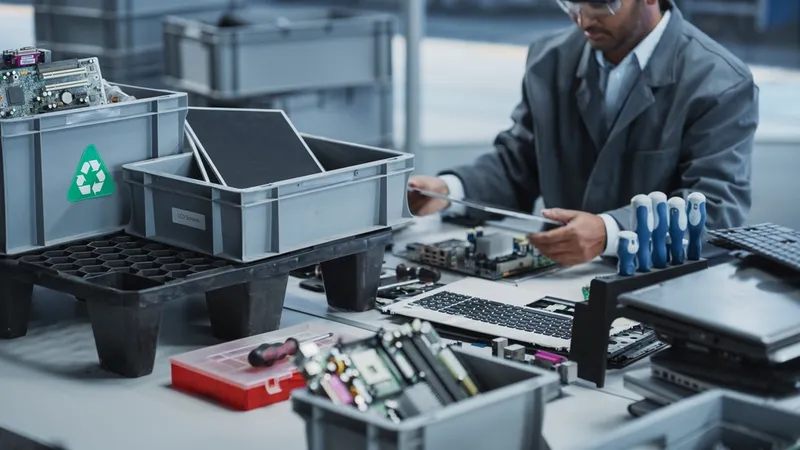
Most of the mistakes above stem from engaging an e-waste recycling company too late in the project. To avoid rushed logistics, missed assets and incomplete documentation, a certified recycler should be involved once the project scope and approximate volume are known.
Early engagement allows time for a site assessment, logistics planning and confirmation of the required data-security and reporting processes.
An experienced provider may support:
- On-site assessments
- Asset inventory and scanning
- Bulk collection
- Secure packing and transport
- Data sanitisation and destruction
- Equipment testing and grading
- Asset recovery and remarketing
- E-waste processing
- Final reporting and certification
This reduces the burden on internal teams while helping ensure that each asset has a secure and documented outcome.
Clear Bulk Office E-Waste with Vision Green
Bringing this level of support in-house is rarely practical for a one-off relocation or annual refresh, which is why most organisations partner with a certified e-waste recycling company.
A well-planned office clearance protects sensitive data, prevents valuable equipment from being discarded unnecessarily and ensures that every asset is accounted for.
It also helps IT and facilities teams complete relocations, renovations and refresh projects on schedule without leaving unwanted electronics behind.
Planning an office move, renovation or large-scale IT refresh? Contact Vision Green, an e-waste recycling company in Singapore, for bulk collection, secure data handling, asset recovery and responsible recycling.
Frequently Asked Questions
What office equipment can be collected as e-waste?
Typical items include laptops, desktop computers, monitors, printers, servers, network devices, storage media, telephones, cables and power accessories. The final scope should be confirmed with the recycling provider before collection.
Should working office equipment be recycled?
Not necessarily. Functional equipment may be suitable for redeployment, donation, resale or parts recovery after ownership and data-security requirements have been addressed.
How should hard drives be handled during an office move?
Hard drives should be inventoried, stored securely and assigned an approved sanitisation or destruction method aligned to NIST SP 800-88 (typically Purge for reusable drives or Destroy for retired media).
They should remain under controlled custody with documented chain-of-custody records until processing is complete and a Certificate of Destruction has been issued.
How far in advance should a bulk collection be booked?
Large clearances should be planned as early as possible, particularly when building access, goods lifts, multiple floors or sensitive equipment are involved.
What documentation should the recycler provide?
Depending on the service, records may include collection manifests, asset reports, chain-of-custody documents, sanitisation or destruction certificates, asset recovery reports and recycling documentation.
Vision Green provides a single consolidated Certificate of Destruction covering both e-waste and battery consignments, simplifying ESG and audit reporting.
Do businesses in Singapore need to use a certified e-waste recycler?
Under Singapore's Resource Sustainability Act 2019 and the NEA-administered e-waste framework, businesses generating regulated e-waste should engage licensed collectors and certified recyclers to ensure responsible treatment.
Working with a certified recycler such as Vision Green also helps organisations demonstrate compliance during audits and ESG reporting.
Can bulk office clearances be scheduled outside business hours?
Yes. Many office relocations, particularly in commercial buildings with strict tenant access rules, require after-hours or weekend collections.
Vision Green can accommodate scheduled clearances that align with your building management restrictions, loading bay availability and lease handover deadlines. Advance notice helps secure the required manpower, vehicles and building access.